Available on the App Store

The point cloud app
for iPhone & iPad

View and explore 3D point clouds with high-performance on-device rendering, multi-format import, cloud streaming, and team collaboration — all from your pocket.

Free download. Pro and Cloud plans available.

Pointscape is a free iPhone and iPad app for viewing 3D point clouds. It opens E57, LAS, LAZ, PLY, COPC, and XYZ scans, renders them on-device with no internet connection required, and can stream massive datasets from the cloud.

See it in action

Built for iPhone & iPad

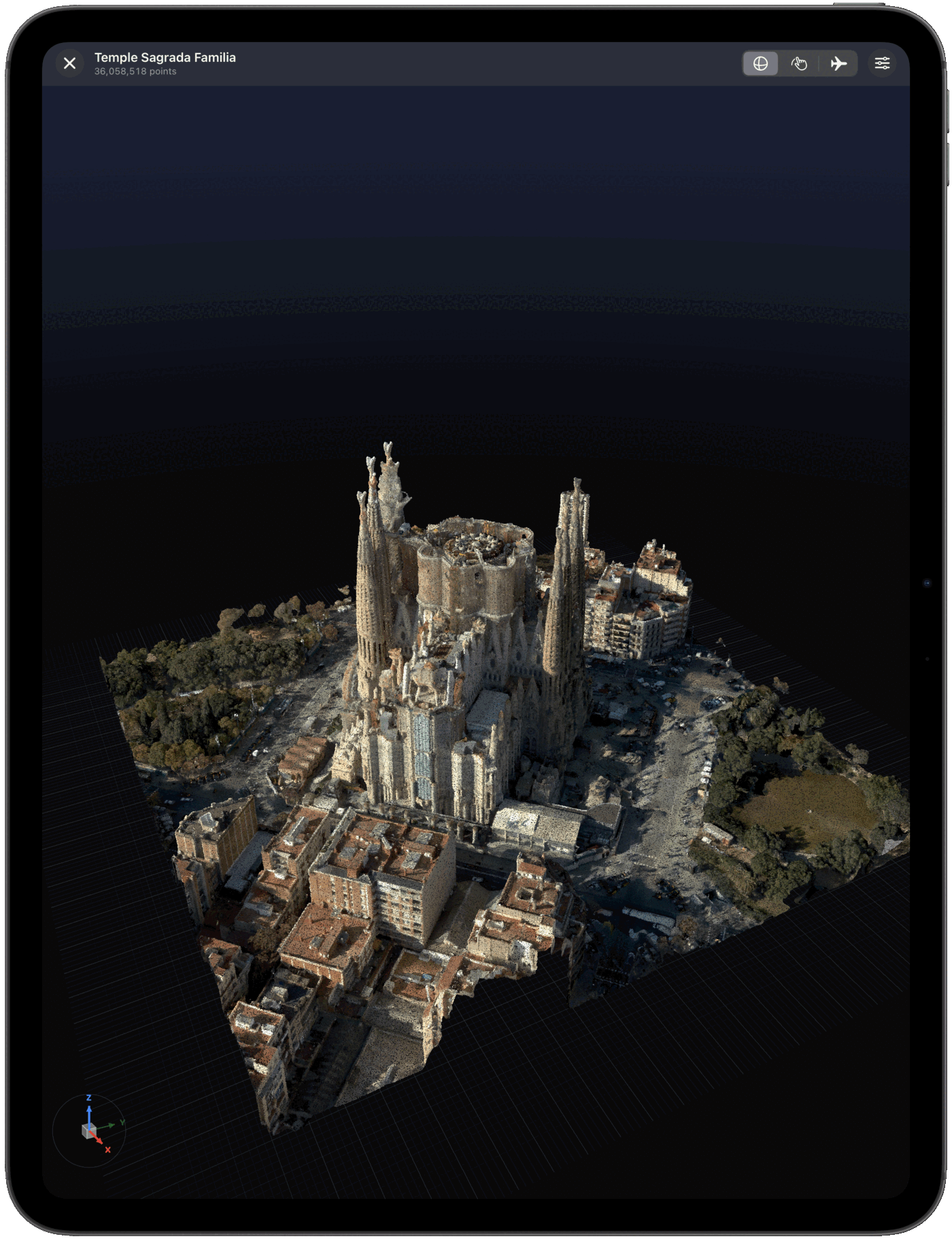
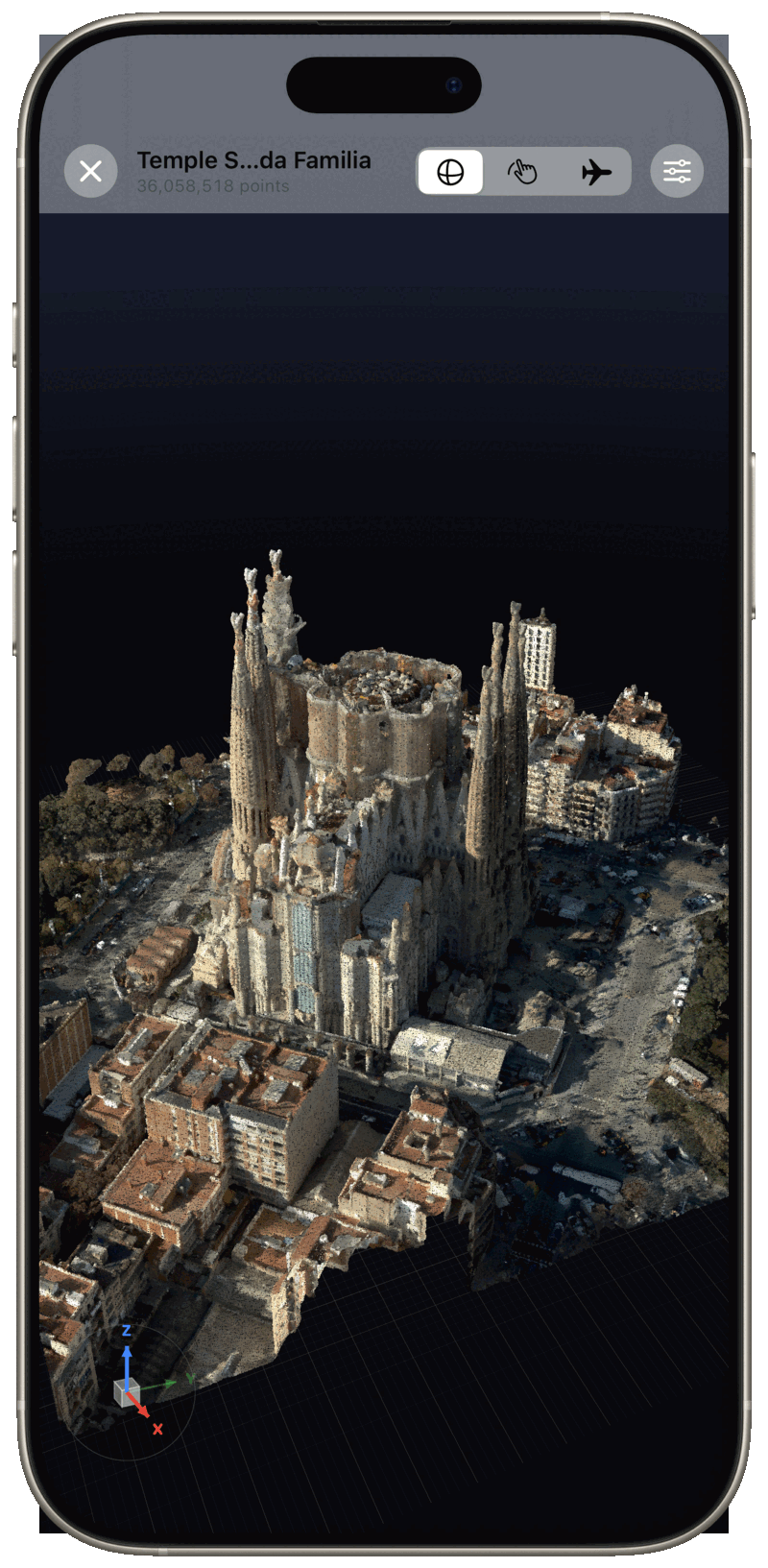
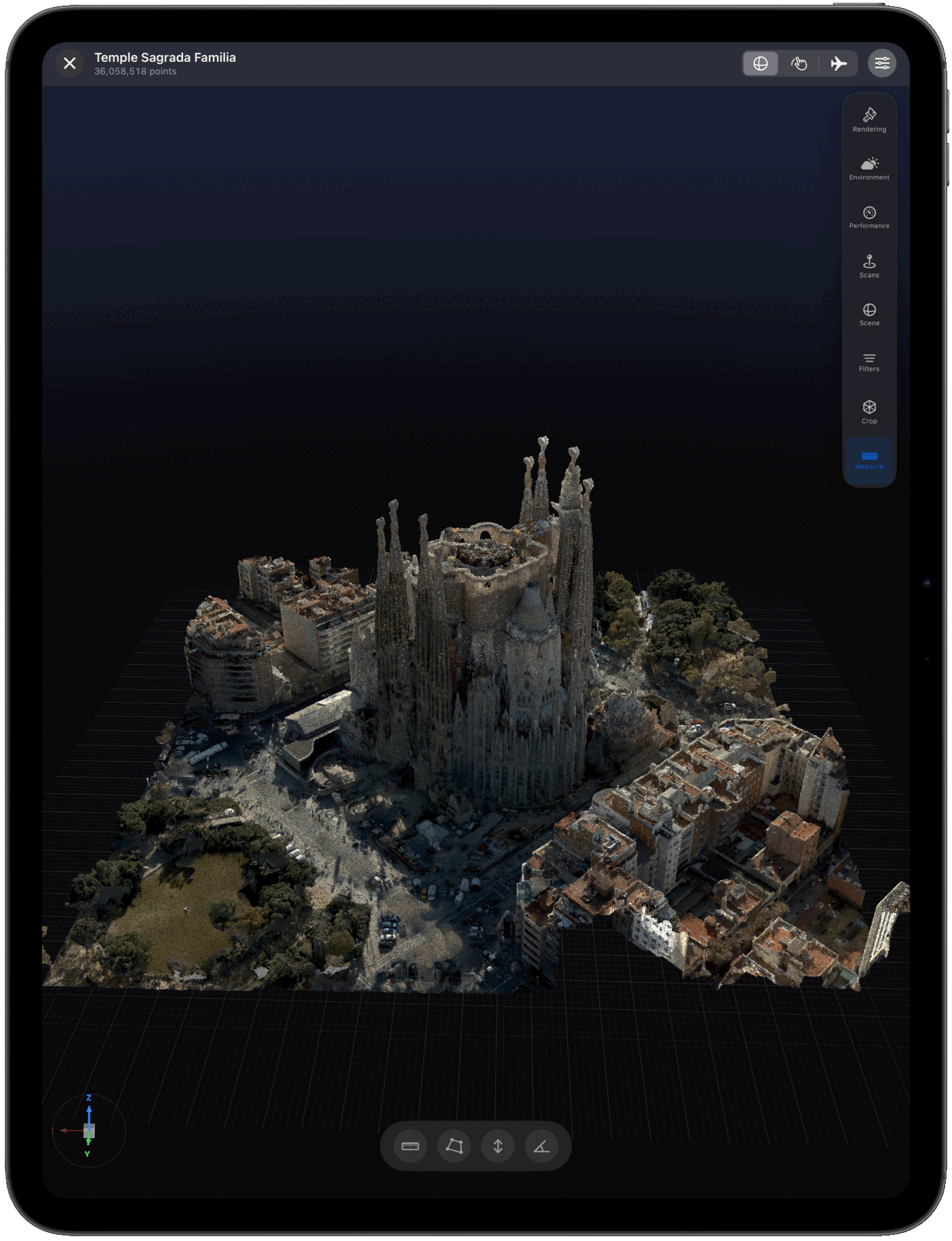
From large reality-capture scans to a quick site capture, Pointscape renders detailed point clouds smoothly on both iPad and iPhone.

Pointscape on iPad showing a detailed 3D point cloud of a building Pointscape on iPhone showing a 3D point cloud Pointscape on iPad with the measurement and rendering tools strip open

Features

Everything you need to work with point clouds

From scan import to real-time 3D visualization, Pointscape gives you professional tools designed for mobile.

Stunning 3D Rendering

Process and view point clouds entirely on-device and completely offline — no internet or cloud account required. Advanced lighting, multiple quality modes, and adaptive level of detail in real time.

Multi-Format Import

Import E57, PLY, COPC, LAS, LAZ, and XYZ files directly from Files, Google Drive, Dropbox, OneDrive, or Box.

Point Cloud Streaming

Stream massive point clouds directly from the cloud. No full download needed — explore billions of points instantly.

Team Workspaces

Share point clouds with your team. Manage members, roles, and storage across collaborative workspaces.

Adaptive Performance

Device-aware rendering profiles with thermal monitoring and frame-rate feedback that keep visuals smooth on any device.

Cloud Upload & Processing

Need more power? Upload scans for cloud-side processing. Track jobs in real time and download or stream results back to your device.

Works with the files you already have

Import E57, PLY, COPC, LAS, LAZ, and XYZ scans. Process and view locally on-device, or upload for cloud conversion — your choice. See how the point cloud viewer for iPad & iPhone handles each format, or read point cloud formats explained.

1M+
Default point budget
7
Sky presets
5
Coloring modes
3
Quality modes

FAQ

Frequently asked questions

What file formats does Pointscape support?

Pointscape imports E57, PLY, COPC, LAS, LAZ, and XYZ point cloud files directly from Files, Google Drive, Dropbox, OneDrive, or Box. Download Pointscape free on the App Store to open your scans.

Can I use Pointscape completely offline, with no cloud?

Yes. Pointscape processes and renders point clouds entirely on-device, so it works completely offline — no internet connection and no cloud account required. Your scans stay on your iPhone or iPad, which makes it well suited to secure, on-premise work. Cloud streaming and upload are optional, not required.

How large a point cloud can Pointscape handle?

Pointscape streams massive point clouds directly from the cloud, letting you explore billions of points without downloading the full file. On-device rendering uses adaptive level of detail to stay smooth.

Is Pointscape free?

Pointscape is a free download on the App Store. Get it on your iPhone or iPad and start viewing point clouds right away.

What devices does Pointscape support?

Pointscape is built for iPhone and iPad running iOS and iPadOS, with device-aware rendering profiles that keep visuals smooth across devices. Download it free on the App Store.

Ready to explore your point clouds?

Free download. Pro and Cloud plans available.